Most SEO advice starts with “do keyword research.”
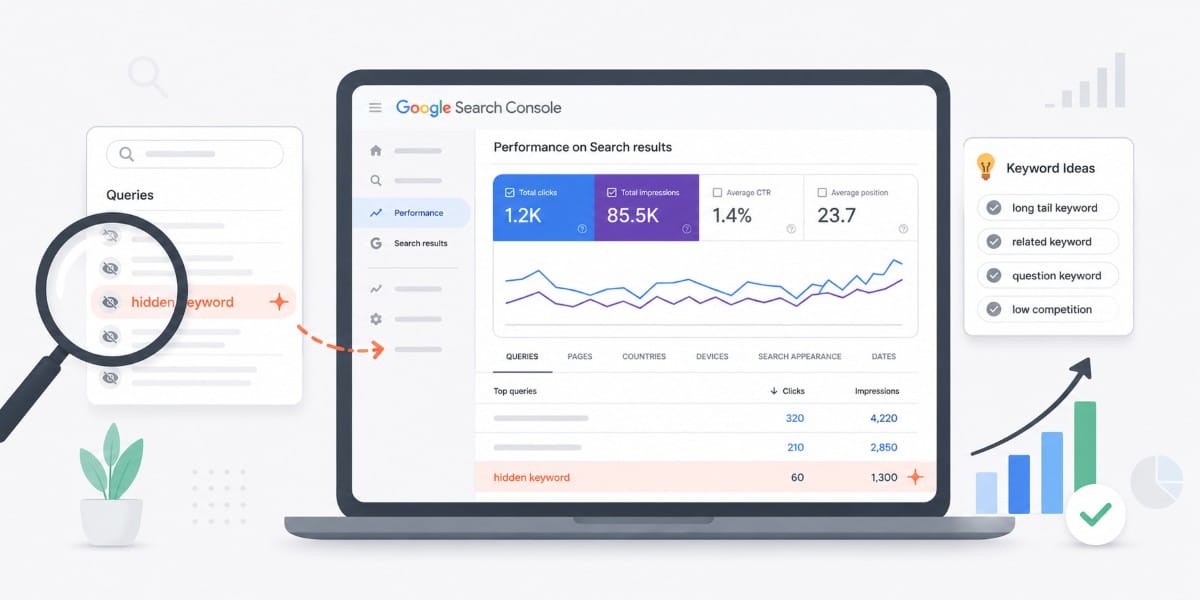
And to be fair, they’re not wrong. But rather than running to paid SEO tools, I usually start by digging into Google Search Console.
If a site already has some traffic, Google has already done a lot of the work for you. It’s already deciding which queries your pages are relevant for, even if they’re not ranking well yet.
That’s what I’m looking for.
Instead of chasing new keywords, I go into Google Search Console and look for the ones that are already getting impressions but haven’t fully broken through. Those are usually faster wins, and they’re way more reliable than starting from scratch.
Here’s exactly how I find them and what I do with them.
What I mean by "hidden" keywords
When I say “hidden” keywords, I’m not talking about anything advanced or hard to find.
I’m talking about queries your site is already showing up for in Google Search Console, but not in a meaningful way yet.
Usually, these look like:
- Keywords with impressions, but very few clicks
- Rankings sitting somewhere between positions 8 and 30
- Queries you didn’t intentionally target when writing the page
In other words, Google already sees a connection between your content and that search.
It just hasn’t fully committed to ranking you for it yet.
That’s what makes these so valuable.
You’re not trying to convince Google your page is relevant from scratch. You’re working with signals that already exist and pushing them a little further.
Most of the time, that’s a much easier lift than going after a completely new keyword.
Why these keywords matter more than new ones
Most SEO strategies are built around finding new keywords to target.
That makes sense on paper, but it skips over something much easier to work with.
If a page is already getting impressions for a query, Google has already done a few important things:
- It’s crawled and indexed the page
- It sees the page as at least somewhat relevant
- It’s tested showing your content in search results
You’re not starting from zero.
Compare that to a brand new keyword. You’re asking Google to:
- discover the page
- understand it
- trust it
- and rank it
That takes time, and there’s no guarantee it works.
With these “hidden” keywords, you’re usually working with pages that are already sitting somewhere on page two or the bottom of page one. Small improvements can move those much faster than trying to rank something completely new.
It’s the difference between nudging something that’s already moving and trying to push something from a dead stop.
That’s why I almost always look here first before planning new content.
The exact filter I use in Google Search Console
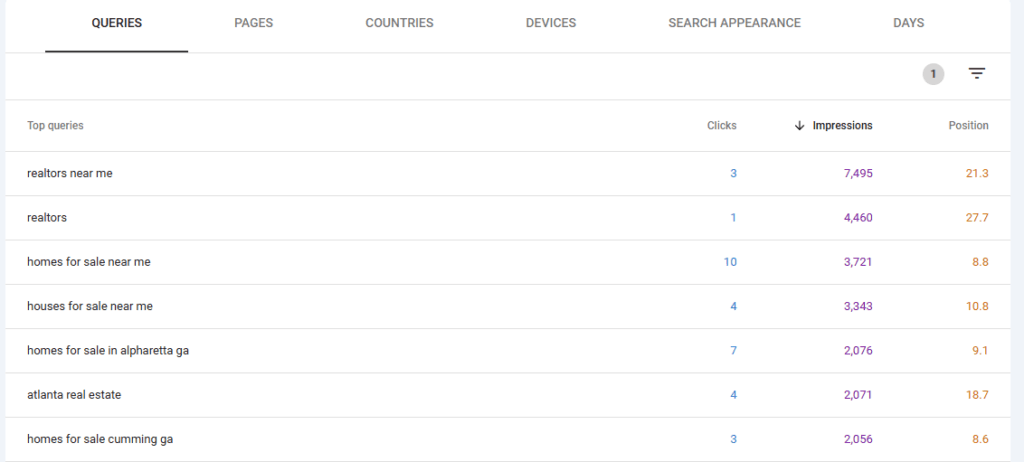
This part is straightforward. The value isn’t in the steps themselves, it’s in what you do with the data after.
Here’s exactly how I pull these keywords:
- Go to Google Search Console
- Click into Search Results under Performance
- Set your date range (I usually look at the last 3 months to smooth things out)
- Switch to the Queries tab in the list of results
- Now click the filter icon above the Position column add one filter to the results:
- Position → greater than 8
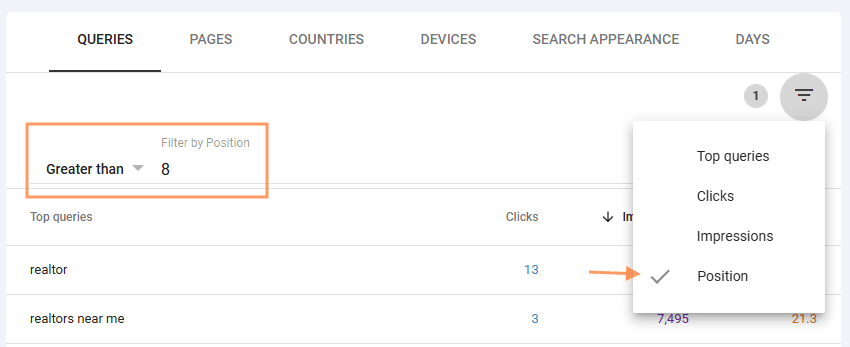
That’s it.
This removes keywords where you’re already ranking near the top and focuses on the ones that are close, but not quite there yet.
From here, I sort the table by impressions.
That gives me a list of queries where:
- Google is already showing my page
- there’s actual search activity
- but I’m not getting much traffic yet
If I want to go deeper, I’ll click into a specific page and apply the same filter at the page level. That helps isolate opportunities tied to a single piece of content instead of the whole site.
You don’t need five different filters or a complicated setup. This one view is usually enough to surface dozens of usable keyword opportunities.
What I’m actually looking for (this is the part most people miss)
Once I have that filtered list of queries, I’m not just scanning for keywords to copy and paste into content.
I’m looking for patterns.
This is where most of the value comes from. The goal isn’t to find more keywords. It’s to understand what Google is already trying to do with your page.
Here are the main things I pay attention to:
1. Keywords that don’t match the page title
This is usually the first thing that stands out.
You’ll see queries showing impressions that aren’t reflected anywhere in your title or main headings.
That’s a signal.
It means Google sees your page as relevant for something you didn’t explicitly optimize for.
What I’ll usually do here:
- Add a short section that directly addresses that query
- Adjust a heading to better match the language people are using
- Make sure the topic is actually covered clearly, not just mentioned once
You don’t necessarily need to rewrite the whole page. Instead, focus on tightening the connection between what Google is already testing and what your content actually says.
2. Long-tail variations you didn’t plan for
These are the more specific versions of your main topic.
They don’t always show up in keyword tools, but they show up here because real people are searching them.
Sometimes it’s small phrasing differences. Other times it’s a more specific angle you didn’t think to include.
What I’m deciding here is simple:
- Does this fit naturally into the page?
- Or does it deserve its own post?
If it fits, I’ll work it into the content.
If it doesn’t, I’ll save it as a new content idea.
3. Keywords that feel “close, but not quite”
These are the ones that are related, but not a perfect match.
Same general topic, slightly different intent.
This is where a lot of people get stuck. They either ignore it or try to force it into the page.
Instead, I’m asking:
- Is this a different question entirely?
- Would someone searching this expect a different kind of page?
If the answer is yes, I don’t force it. That’s a separate page waiting to be created.
4. Queries with high impressions but weak positioning
These are usually the biggest opportunities.
If something is getting a lot of impressions but sitting around position 10–20, Google is already testing your page pretty heavily.
It just isn’t strong enough yet.
That usually points to issues like:
- the page not fully answering the query
- unclear structure or headings
- content that’s a bit too broad
This is where small changes can make a real difference.
You’re not trying to overhaul the page. You’re trying to make it more obvious that it deserves to rank for that specific query.
How I decide what to do with these keywords
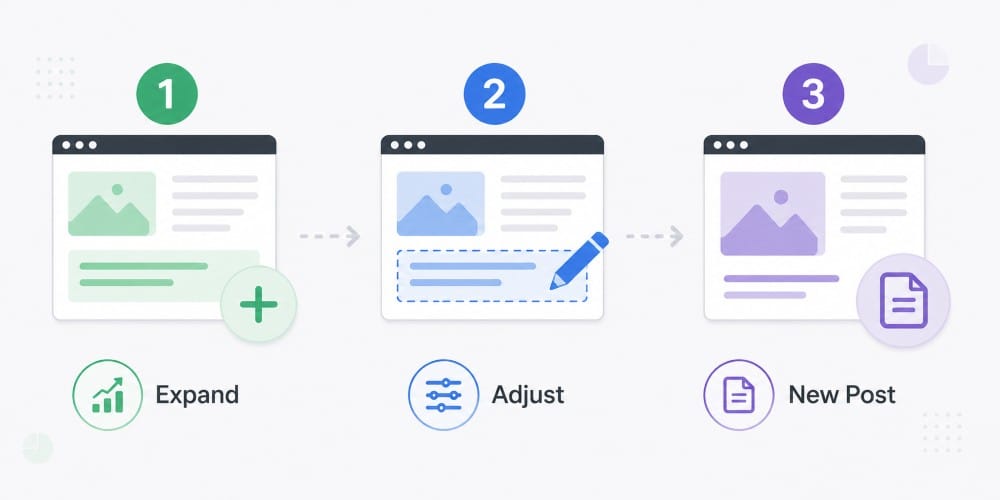
Once I’ve gone through the queries and spotted patterns, the next step is deciding what action to take.
This part is pretty simple. Almost every keyword falls into one of three buckets.
1. Expand the existing page
If the query clearly fits the intent of the page, I’ll build on what’s already there.
That usually means:
- adding a short section that answers the query directly
- expanding an existing section with more clarity
- making sure the topic is actually explained, not just mentioned
I’m not trying to turn one page into everything. I’m just making it more complete for the queries it’s already ranking for.
2. Adjust what’s already there
Sometimes the content is technically relevant, but it doesn’t line up with how people are actually searching.
In those cases, I’ll make smaller adjustments:
- tweak a heading to match the language in the query
- tighten up a paragraph so it answers the question more directly
- clarify what the page is about earlier in the content
These are small changes, but they can make a big difference when a page is already close to ranking.
3. Turn it into a new post
If the query has a different intent, I don’t try to force it into the page.
That’s where a lot of content gets messy.
Instead, I treat it as a separate topic:
- something that deserves its own page
- something I can link back to from the original post
- something that strengthens the overall content around that topic
This is how you naturally build out content clusters without guessing what to write next.
A simple way to look at it:
If it fits, expand the page.
If it’s close, adjust it.
If it’s different, create something new.
Why SEO tools miss this entire layer
This isn’t a knock on SEO tools. I use them all, all the time.
But they’re solving a different problem.
Most tools are built to show you estimated search volume and keyword ideas across the web. That’s useful when you’re starting from scratch.
What they don’t show you is how Google is already interpreting your site.
Google Search Console does.
It shows:
- the actual queries your pages appear for
- real impressions, not estimates
- long-tail variations that tools often miss or underreport
That last part matters more than most people realize.
A lot of the queries you’ll find in Search Console don’t show up cleanly in keyword tools. They’re too specific, too new, or just not tracked well.
But they’re real searches. And your site is already part of those results.
That’s the gap.
Keyword tools tell you what might be possible.
Search Console shows you what’s already happening.
When you focus on that layer first, you’re building on signals that already exist.
Where this fits ito my SEO process
This isn’t something I do once and move on from. It’s baked into how I approach SEO in general.
Before I start planning new content, I want to understand what’s already working.
Search Console gives me that baseline.
It shows me:
- what pages are already getting visibility
- what Google thinks those pages are about
- where there’s room to improve without starting from scratch
From there, I usually work in this order:
- refine and expand pages that are already ranking
- clean up pages that are close but misaligned
- then create new content based on what I’m seeing
That order matters.
A lot of sites jump straight into publishing new posts, even when their existing pages are sitting just outside page one. In most cases, there’s more value in improving what’s already there before adding more content.
This is also how I build out content clusters naturally.
Instead of guessing what topics to cover, I’m using real query data to decide:
- what deserves its own page
- what belongs together
- and how everything should link back to each other
It keeps things focused, and it avoids creating content that doesn’t go anywhere.
If you want to try this yourself...
You don’t need a full strategy to start seeing results from this.
Open up Google Search Console, pull your query data, and apply that position filter. Then just look.
Find one page that’s getting impressions for queries it wasn’t built for. Make a small update. Add a section, adjust a heading, or tighten the way it answers the question.
That’s it.
You don’t need to overhaul your site or publish five new posts. One or two focused changes is usually enough to see movement, especially if the page is already close.
If nothing else, this gives you a better way to decide what to work on next without guessing.
And over time, that adds up.
Let’s grow your traffic together
Have an SEO question or need help with a project? Whether you’re a small business or a national brand, I’ll help you rank higher and convert more.